
NFC Configuration Guide
This topic describes how to integrate and configure NFC Reader SDK on Android and iOS clients.
Prerequisites
Before integrating NFC Reader SDK and configuring the client, make sure your mobile devices meet the following requirements:
- The mobile OS version must be Android 4.4 or above, or iOS 13 or above.
- The mobile device must have an NFC hardware module.
NFC integration
The NFC Reader SDK is embedded in the RealID SDK, so you can integrate it in the same way as you integrate the RealID SDK. For details, see Client integration.
Client configuration
iOS client
To integrate the NFC Reader SDK on an iOS client, you need to perform the following configurations so that your client can detect NFC tags.
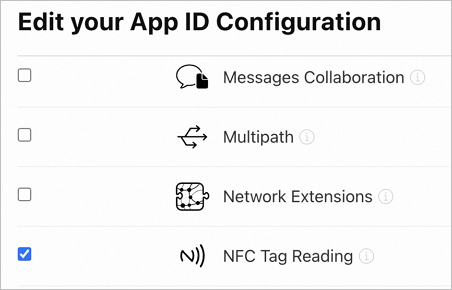
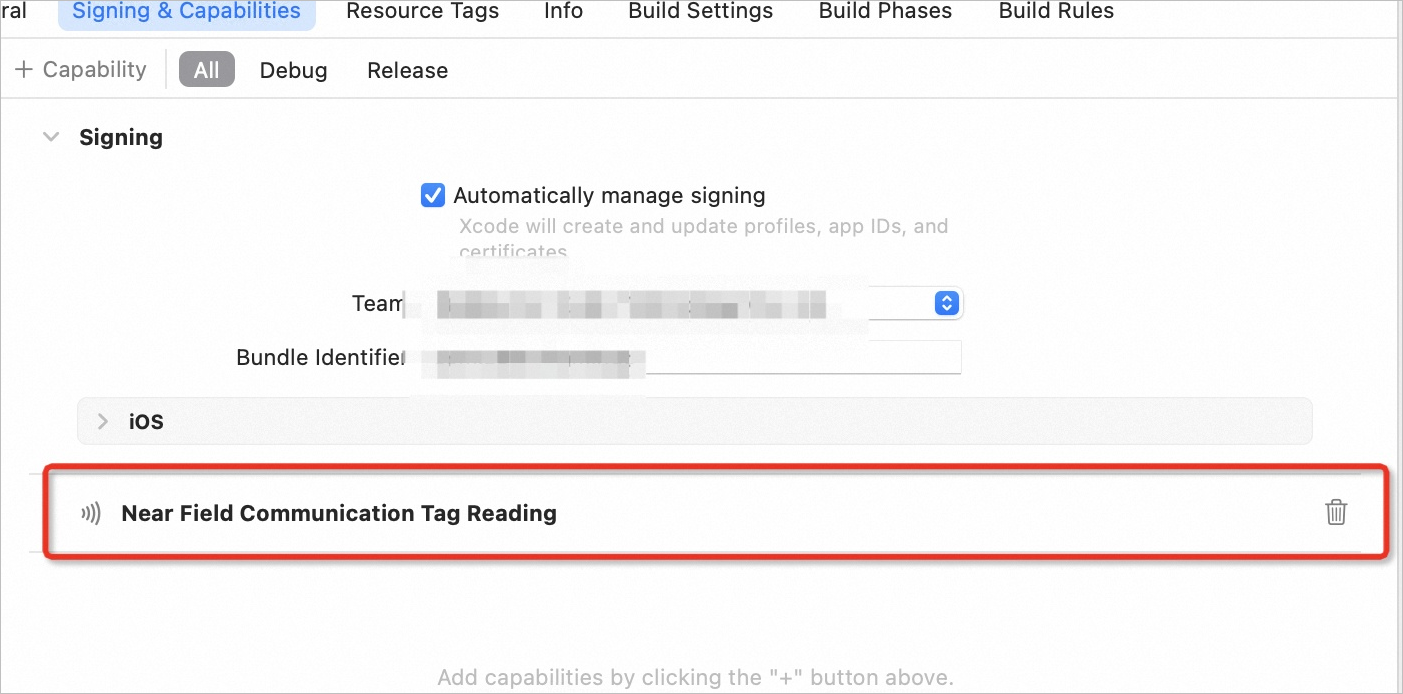
1. Enable NFC Tag Reading in your Apple developer account
2. Configure the Info.plist file
Add the following keys to Info.plist:
copy
<key>com.apple.developer.nfc.readersession.iso7816.select-identifiers</key>
<array>
    <string>A0000002471001</string>
    <string>00000000000000</string>
</array>
<key>NFCReaderUsageDescription</key>
<string>Use NFC to Read Passport</string>
The configuration looks like this after completion:

3. Add the Near Field Communication Tag Reader Session Formats capability to the Entitlements file

copy
<?xml version="1.0" encoding="UTF-8"?>
<plist version="1.0">
<dict>
    <key>com.apple.developer.nfc.readersession.formats</key>
    <array>
        <string>NDEF</string>
        <string>TAG</string>
    </array>
</dict>
</plist>
Android client
After successfully integrating the NFC Reader SDK, you can use NFC without any additional configuration.